Create server
 Promote server
 Add server
 Login
LoginVarious mods for Minecraft 1.21.3 Forge
Version:
All versions
- All
- 1.21.8
- 1.21.7
- 1.21.6
- 1.21.5
- 1.21.4
- 1.21.3
- 1.21.2
- 1.21.1
- 1.21
- 1.20.6
- 1.20.5
- 1.20.4
- 1.20.3
- 1.20.2
- 1.20.1
- 1.20
- 1.19.4
- 1.19.3
- 1.19.3
- 1.19.2
- 1.19.1
- 1.19
- 1.18.2
- 1.18.1
- 1.18
- 1.17.1
- 1.17
- 1.16.5
- 1.16.4
- 1.16.3
- 1.16.2
- 1.16.1
- 1.16
- 1.15.2
- 1.15.1
- 1.15
- 1.14.4
- 1.14.3
- 1.14.2
- 1.14.1
- 1.14
- 1.13.2
- 1.13.1
- 1.13
- 1.12.2
- 1.12.1
- 1.12
- 1.11.2
- 1.11.1
- 1.11
- 1.10.2
- 1.10.1
- 1.10
- 1.9.4
- 1.9.3
- 1.9.2
- 1.9.1
- 1.9
- 1.8.9
- 1.8.8
- 1.8.7
- 1.8.6
- 1.8.5
- 1.8.4
- 1.8.3
- 1.8.2
- 1.8.1
- 1.8
- 1.7.10
- 1.7.9
- 1.7.8
- 1.7.7
- 1.7.6
- 1.7.5
- 1.7.4
- 1.7.2
- 1.6.4
- 1.6.2
- 1.6.1
- 1.5.2
Hold My Items: Reforged [1.21.5] [1.21.4] [1.20.2] [1.20.1] [1.19.4]

Inventory chaos is permanently solved. Hold My Items: Reforged streamlines item organization and carry capacity with zero friction. I no longer suffer from frantic scrambling mid-combat or frustrating inventory tetris while deep-exploring; everything stays where I need it. It’s a simple, practical change, but absolutely life-changing for long survival sessions. This mod makes the entire game feel smoother and incredibly responsive. Honestly, playing without it now is unthinkable; quick organization feels like a seamless, intuitive extension of my gameplay.


Horror Messages (Kamussy) [1.21.8] [1.21.7] [1.21.6] [1.20.2] [1.20.1]

Messages in Minecraft just got terrifying. This mod injects random, horror-style notifications while you explore. I got one saying, "They’re watching you," deep in a dark cave, and my heart jumped out of my chest. The suspense is subtle, never annoying, but adds an unpredictable layer of thrill to otherwise ordinary exploration. Perfect for servers or solo play if you crave the occasional scare without core gameplay breakage.
TrashSlot [1.20.2] [1.20.1] [1.19.4] [1.19.3] [1.19.3]
trashSlot is a small modification that will add a button to instantly remove an item to the game inventory. It will help you quickly get rid of things, and not, as usual, look for a place where they can be thrown away or destroyed. An excellent time saver for any player, which means the mod is very useful.
It's the little things [1.20.2] [1.20.1] [1.19.4] [1.16.5] [1.12.2]
It’s the Little Things is a mod that will definitely be useful for creating your own assemblies in minecraft. With the help of the new plugin, you can change some small notifications or, for example, the icon itself on your panel. It will be possible to notify the player that a 64-bit system is recommended for this build, and so on.
MineTogether [1.21.4] [1.21.3] [1.20.2] [1.20.1] [1.18.2]
This is a system modification that allows you to expand the range of user capabilities in the multiplayer mode of the game. The presented addition gives players an advanced menu, where several useful functions are successfully implemented. In particular, MineTogether, intended for Minecraft 1.12.2, adds new features to the standard interface.
Inventory Sorter [1.20.1] [1.19.4] [1.18.2] [1.16.5] [1.12.2]
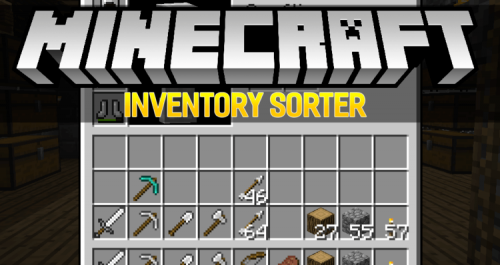
It is very useful when you can just sort everything you want, by just pressing middle button on your mouse. It is also very convinient, since you can't do in the main game and it will brings you a lot of trouble to deal with it. But this mod can help you to achieve your goal.
TipTheScales [1.20.2] [1.20.1] [1.19.4] [1.19.3] [1.19.3]
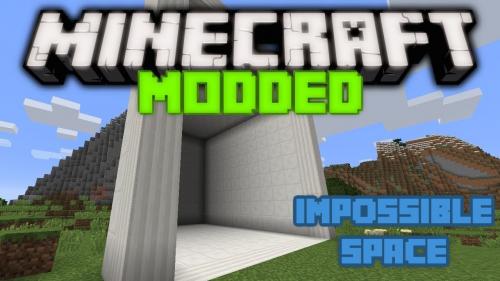
With this mod, while loading the game world, various prompts will be displayed on the screen. All of them are located in a text file, which will give you the ability to modify them as you wish.
GraveStone Mod [1.21.5] [1.21.4] [1.21.3] [1.20.2] [1.20.1]
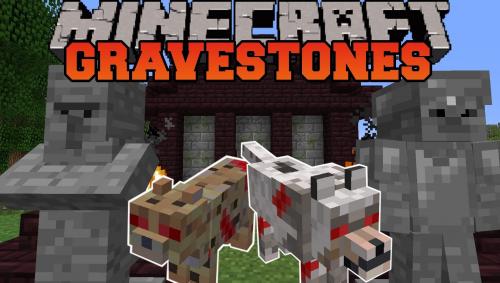
This is a mod that adds a little realism to your game world, now if you die, a tombstone will appear, breaking it you will pick up your things.
Crafting Tweaks [1.21.5] [1.21.4] [1.20.2] [1.20.1] [1.18.2]
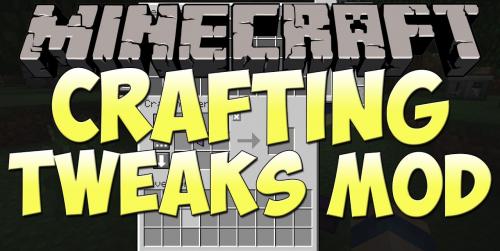
After installing the mod for Minecraft 1.12.2, the crafting and workbench windows will undergo some useful changes. Moving things to your inventory, swapping and sorting will become much easier – from now on, you only need to press the assigned buttons.
Torchmaster [1.20.1] [1.19.4] [1.19.3] [1.16.5] [1.12.2]
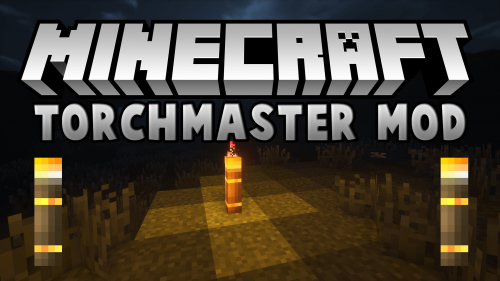
Spawn mobs, although not a big problem for players, but sometimes grandiose plans for construction can cause this unpleasant moment. To avoid such a fate, just use the Torchmaster modification for Minecraft 1.12.2, which will allow you to enjoy the spawn-free territory without any problems
- 1
- 2


 Verified VirusTotal
Friendly Support
 Write to us
 Go to FAQ




 Play on the server


 Игра запускается... Перейди в лаунчер