Create server
 Promote server
 Add server
 Login
LoginDownload mods for Minecraft 1.21.3
Version:
All versions
- All
- 1.21.8
- 1.21.7
- 1.21.6
- 1.21.5
- 1.21.4
- 1.21.3
- 1.21.2
- 1.21.1
- 1.21
- 1.20.6
- 1.20.5
- 1.20.4
- 1.20.3
- 1.20.2
- 1.20.1
- 1.20
- 1.19.4
- 1.19.3
- 1.19.3
- 1.19.2
- 1.19.1
- 1.19
- 1.18.2
- 1.18.1
- 1.18
- 1.17.1
- 1.17
- 1.16.5
- 1.16.4
- 1.16.3
- 1.16.2
- 1.16.1
- 1.16
- 1.15.2
- 1.15.1
- 1.15
- 1.14.4
- 1.14.3
- 1.14.2
- 1.14.1
- 1.14
- 1.13.2
- 1.13.1
- 1.13
- 1.12.2
- 1.12.1
- 1.12
- 1.11.2
- 1.11.1
- 1.11
- 1.10.2
- 1.10.1
- 1.10
- 1.9.4
- 1.9.3
- 1.9.2
- 1.9.1
- 1.9
- 1.8.9
- 1.8.8
- 1.8.7
- 1.8.6
- 1.8.5
- 1.8.4
- 1.8.3
- 1.8.2
- 1.8.1
- 1.8
- 1.7.10
- 1.7.9
- 1.7.8
- 1.7.7
- 1.7.6
- 1.7.5
- 1.7.4
- 1.7.2
- 1.6.4
- 1.6.2
- 1.6.1
- 1.5.2
Apple Skin [1.20.2] [1.20.1] [1.19.4] [1.19.3] [1.16.5]
The modification will add tweaks cut from Applecare, which will show how much this or that food will satisfy you and visualize saturation in the hunger interface.


MineTogether [1.21.4] [1.21.3] [1.20.2] [1.20.1] [1.18.2]
This is a system modification that allows you to expand the range of user capabilities in the multiplayer mode of the game. The presented addition gives players an advanced menu, where several useful functions are successfully implemented. In particular, MineTogether, intended for Minecraft 1.12.2, adds new features to the standard interface.
Farming for Blockheads [1.21.5] [1.21.4] [1.20.2] [1.20.1] [1.19.4]
will allow you to take a position in the market served by a villager, which will allow you to get various elements related to agriculture and animal husbandry. In this store, we can exchange the items that we have.
Default Options [1.20.2] [1.20.1] [1.19.4] [1.19.3] [1.16.5]
Default Options will make your Minecraft life much easier. It lets you change and restore your parameter settings, so they are will be your own and not default. With that mod you can easily change back your parameters if something happened.
TrashSlot [1.20.2] [1.20.1] [1.19.4] [1.19.3] [1.19.3]
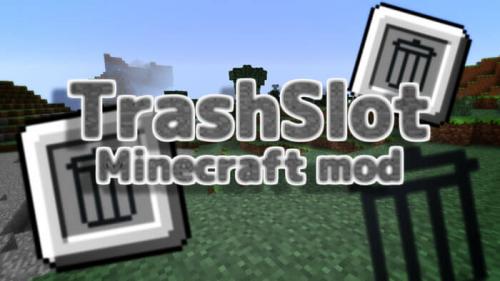
trashSlot is a small modification that will add a button to instantly remove an item to the game inventory. It will help you quickly get rid of things, and not, as usual, look for a place where they can be thrown away or destroyed. An excellent time saver for any player, which means the mod is very useful.
It's the little things [1.20.2] [1.20.1] [1.19.4] [1.16.5] [1.12.2]
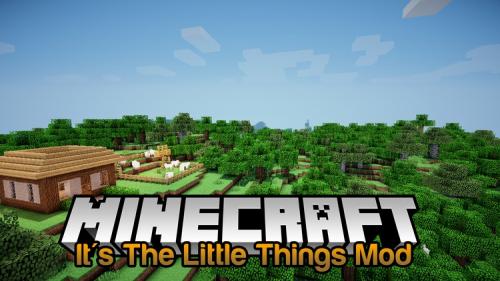
It’s the Little Things is a mod that will definitely be useful for creating your own assemblies in minecraft. With the help of the new plugin, you can change some small notifications or, for example, the icon itself on your panel. It will be possible to notify the player that a 64-bit system is recommended for this build, and so on.
Storage Drawers [1.21.5] [1.21.4] [1.21.3] [1.20.1] [1.12.2]
The mod will add new types of boxes for storing stacks to minecraft, they do not have the usual inventory to put items - take them in your hand and click on the block with the right mouse button to take - click on the block with the left mouse button. This will greatly facilitate the task of folding items and sorting them. Also, the mod looks good visually.
Ding [1.20.2] [1.20.1] [1.19.4] [1.16.5] [1.12.2]
A small service mod that gives a "Ding" signal when you connect to the server, useful for those who have a weak Internet and periodically long connections to a multiplayer server.
Optiboxes [1.21.11] [1.21.10] [1.21.9] [1.21.8] [1.21.7]
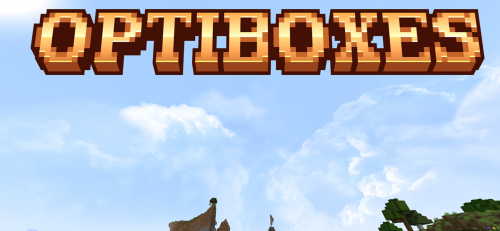
Optiboxes slams OptiFine skies into Fabric 1.21+ – resource packs stitch 6-face cubemaps (top/bottom/left/right/front/back); layers blend wildly with rotate, speed, and height tweaks! I dropped a starry pack, and the skies exploded into a 3D vortex over my base, with dawn glows spinning hypnotically. I built mega castles under purple nebulae, and screenshots were god-tier cinematic. No OptiFine jail, pure freedom – personal heavens are insane; I'm hooked on tweaking endlessly!
Crafting Tweaks [1.21.5] [1.21.4] [1.20.2] [1.20.1] [1.18.2]
After installing the mod for Minecraft 1.12.2, the crafting and workbench windows will undergo some useful changes. Moving things to your inventory, swapping and sorting will become much easier – from now on, you only need to press the assigned buttons.


 Verified VirusTotal
Friendly Support
 Write to us
 Go to FAQ



 Play on the server

 Игра запускается... Перейди в лаунчер